|
| | | | | | | | | | |
?
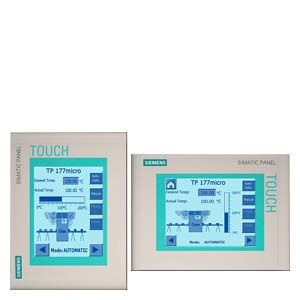
- Input/output fields
for displaying and changing process parameters
- Buttons
for direct triggering of functions and actions. Up to 16 functions can be configured simultaneously on buttons
- Graphics
can be used as icons instead of text to "label" function keys or buttons. They can also be used as background displays (wallpaper).
In the configuration tool, a library is available containing extensive graphics and a wide variety of objects. All editors with an OLE interface can be used as graphics editors (such as PaintShop, Designer or CorelDraw).
- Vector graphics
Simple geometric basic forms (line, circle and rectangle) can be created direct in the configuring tool
- Predefined texts
for labeling function keys, process images and process values in any character size
- Bars
for the graphical display of dynamic values
- Changing languages
- 5 online languages, 32 configuration languages incl. Asian and Cyrillic character sets
- User administration (security)
- Authentication using password
- Signaling system
- Discrete alarms
- Analog messages
- Freely definable message classes (e.g., status/fault messages) for definition of acknowledgment response and display of message events
- Message history
- Help texts
for process images, messages and variables
- Arithmetic functions
- Limit value monitoring
for reliable process control of inputs and outputs
- Indicator light
for machine and plant status indication
- Template concept
Creation of picture templates (picture elements configured in the template appear in every image)
- User-friendly maintenance and configuration thanks to:
- Backup and restoration of configuration, operating system and firmware on a PC using ProSave
- Configuration download serially via RS485
- Individual contrast setting and calibration
- Clean screen
- No batteries are necessary
Configuring
SIMATIC WinCC flexible Micro, Compact, Standard or Advanced engineering software Version 2004 SP1 and higher plus HSP is used for configuration.
For more information about engineering software, see HMI software/engineering software SIMATIC WinCC flexible.
A PC/PPI adapter cable is needed to download the configuration.
|
|